Your whole business
in one workspace
Orders and POS, inventory, customers, calls, staff and payroll, website and widgets — one system instead of a dozen services. AI reviews calls, fills in cards and prompts your staff.
Free start without a card. AI, paid plans, extensions and hardware have separate terms.
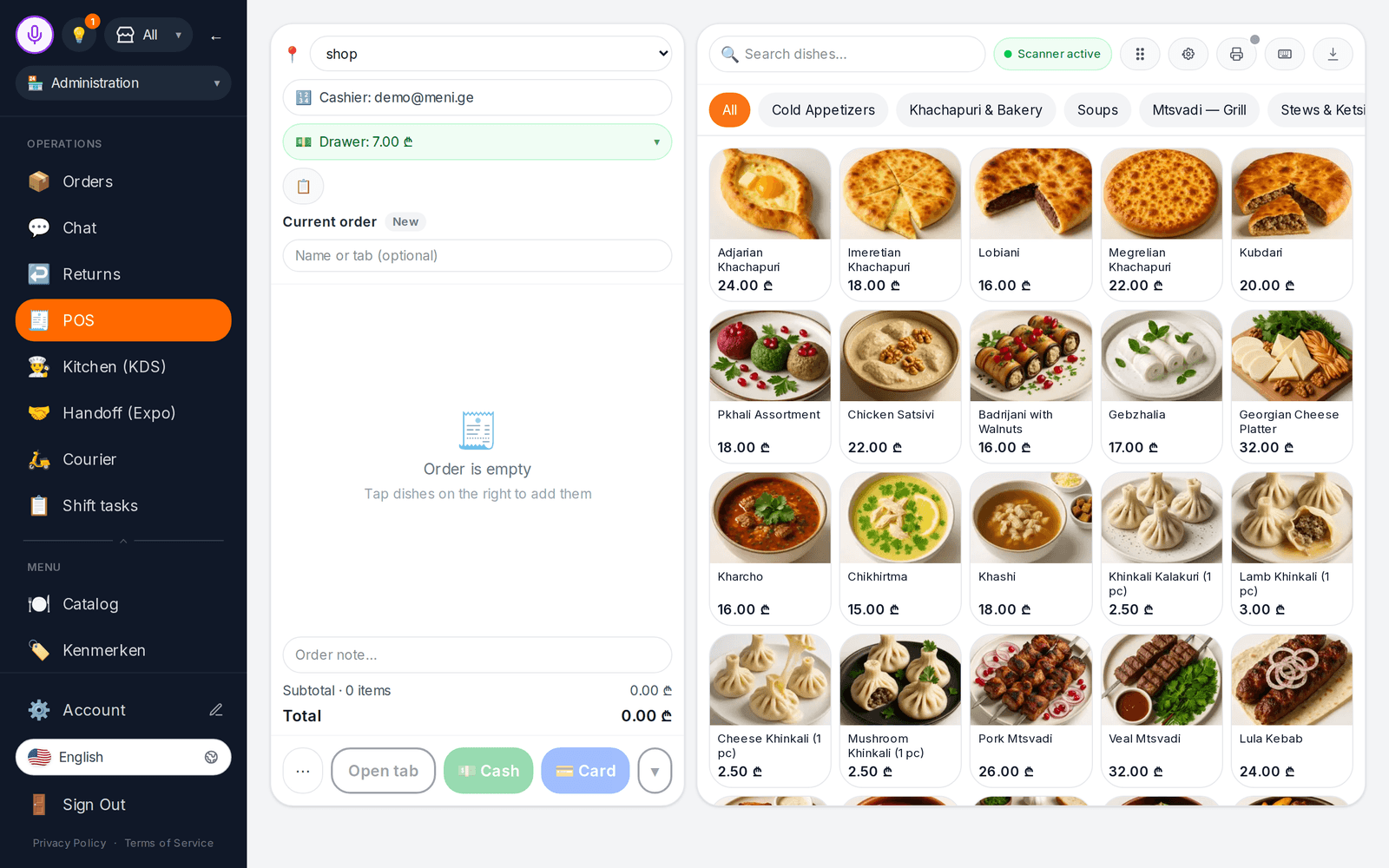
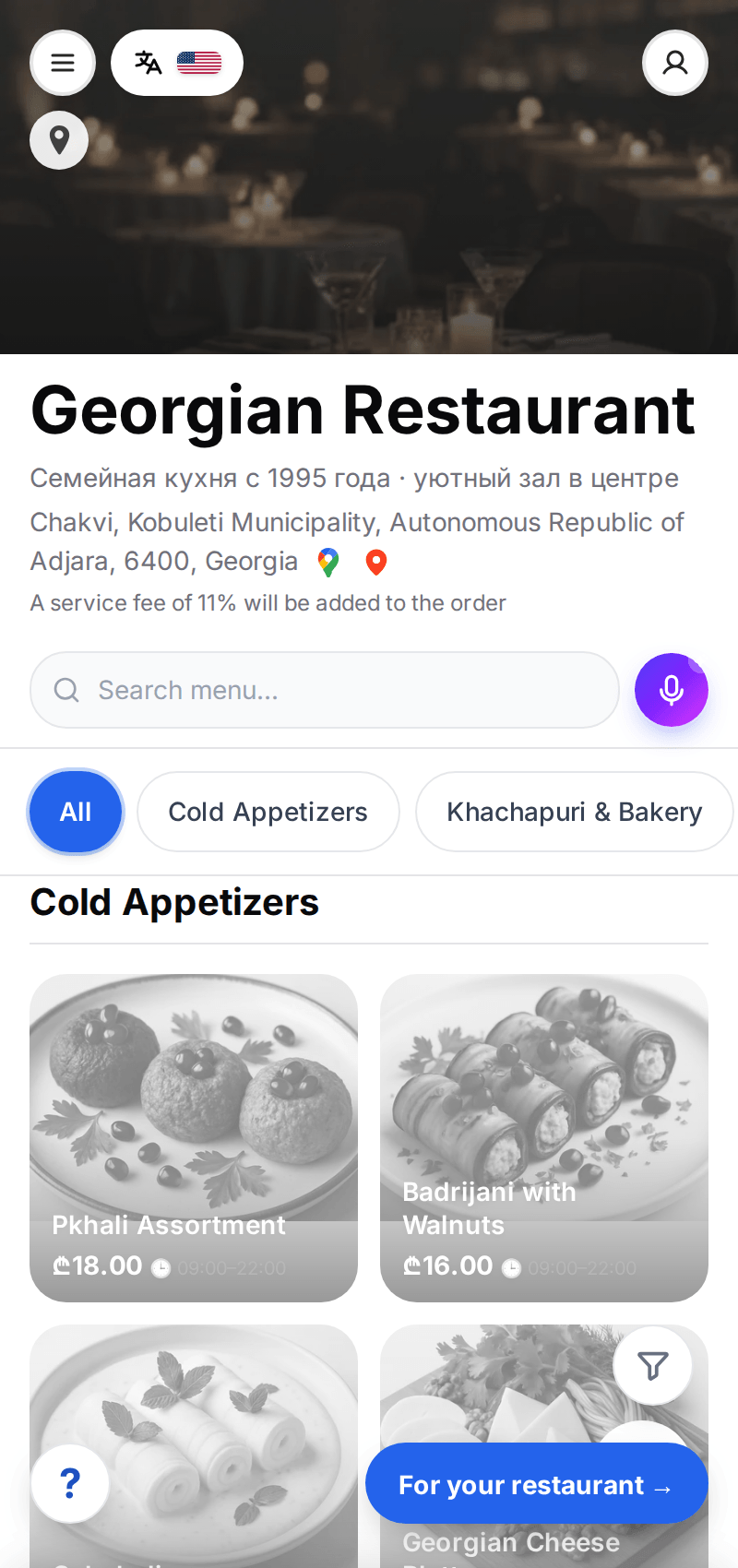
Interface screenshot; available features depend on setup and plan.
The system adapts to your business
Your business type changes sections, terms and starting settings. Start with the main workflow and add the rest when you need it.
From QR menu to kitchen and stock
Guests order and pay from the table, orders reach the kitchen display, sales deduct ingredients by recipe. POS with a floor plan, reservations and a waitlist. POS and KDS require a suitable paid plan.
- ✓Pay at table and split bills
- ✓Stop list and scheduled menus
- ✓Recipes, food cost and auto-deduction


Eight business areas — one workspace
Data is shared: a sale deducts stock, a call lands in the customer record, a shift goes to timesheets and payroll. You don’t need it all at once — turn sections on as you grow.
Sales and orders
Every order channel lands in one queue.
- ✓ Commission-free QR menu and storefront
- ✓ POS for tables, bar and counter; shifts and X/Z reports
- ✓ Kitchen and expo displays
- ✓ Order-ahead slots and pay at table
- ✓ Telegram shop and WhatsApp ordering
- ✓ B2B orders and quotes
- ✓ Kiosk and queue screenbeta
Inventory and purchasing
Stock updates itself from sales and invoices.
- ✓ Stock by warehouse and auto-deduction on sale
- ✓ Receiving invoices, including from a photo
- ✓ Stocktakes and variance review
- ✓ Suppliers, purchasing and price control
- ✓ Recipes, cost and demand forecast
- ✓ Labels and price tags
Customers and marketing
Every order, booking and review lands in the customer record.
- ✓ Customer base: history, groups, segments
- ✓ Reservations with deposits and a waitlist
- ✓ Coupons, promotions and gift cards
- ✓ E-mail and Telegram newsletters
- ✓ Post-order reviews and reputation
- ✓ One inbox for website leads
- ✓ Loyalty: points, stamps, tiersbeta
Calls and messaging
Your own phone system and messengers next to orders.
- ✓ Cloud PBX: numbers, extensions, routing
- ✓ Call recording and transcripts
- ✓ AI call review and quality scoring
- ✓ Operator prompts from your knowledge base
- ✓ Customer chats: Telegram, Messenger, e-mail, website
- ✓ Team chat with shift tasks
- ✓ AI secretary for inbound callsbeta
Staff and payroll
From shift schedules to payroll.
- ✓ Staff, roles and POS PIN access
- ✓ Shift schedules, time clock and timesheets
- ✓ Payroll, labor cost and wage fund
- ✓ HR records by country rules
- ✓ Staff training and certification
- ✓ Employee self-service cabinet
- ✓ Leave, requests and certificatesbeta
Money and documents
Receipts, expenses and documents without re-typing.
- ✓ Finance: revenue, purchases, expenses and P&L
- ✓ Expenses and recurring payments
- ✓ Customer debts and corporate accounts
- ✓ Template documents and e-docs via Sabybeta
- ✓ Assets and depreciation
- ✓ Tax invoices for the UK, AU, NZ and UAE
- ✓ Bank statements and reconciliationbeta
Website and promotion
Your storefront is already a website. Widgets go on any other.
- ✓ Storefront as a website on your domain
- ✓ SEO: indexing, sitemap, search consoles
- ✓ 13 widgets: chat, booking, callback, ordering
- ✓ Printed menus, QR table cards, flyers
- ✓ Google Business Profile: hours, posts, reviews
- ✓ Website edited through an AI chatbeta
- ✓ Ad campaigns from the adminbeta
Hardware
A bridge on the POS computer finds devices itself.
- ✓ Network receipt and kitchen printers
- ✓ Scales and barcode scanners
- ✓ Customer display
- ✓ Remote support for the POS computer
- ✓ Bank card terminalbeta
“Beta” means the feature works, but test it on your own data before a live shift. Section availability depends on your plan.
AI takes over the routine
AI is paid with credits separately from your plan. Models can make mistakes — decisions and publishing stay with you.

Call review
Transcripts, what the customer asked for, and a checklist score with quotes and timestamps.
Import from photos
A menu from a photo, PDF or website; an invoice photo becomes a stock receipt.
Card review
AI proposes descriptions, ingredients and fields for a dish or product. You choose what to apply.
Reply drafts
Replies to reviews and customer messages based on your menu and rules.
Knowledge base and prompts
Upload procedures and websites — staff get prompts during a conversation. Ready-made knowledge bases are available.
Admin assistant
Ask by voice or text where a setting is and how to get something done.
One order flows through the whole system
Open a demo and test the actions you need in your account.
Customers see items and prices and order
Your texts and photos, categories, modifiers, allergens. Import a menu from a photo, PDF or website.
- ✓Dine-in, pickup or delivery
- ✓Menu translations reviewed before publishing
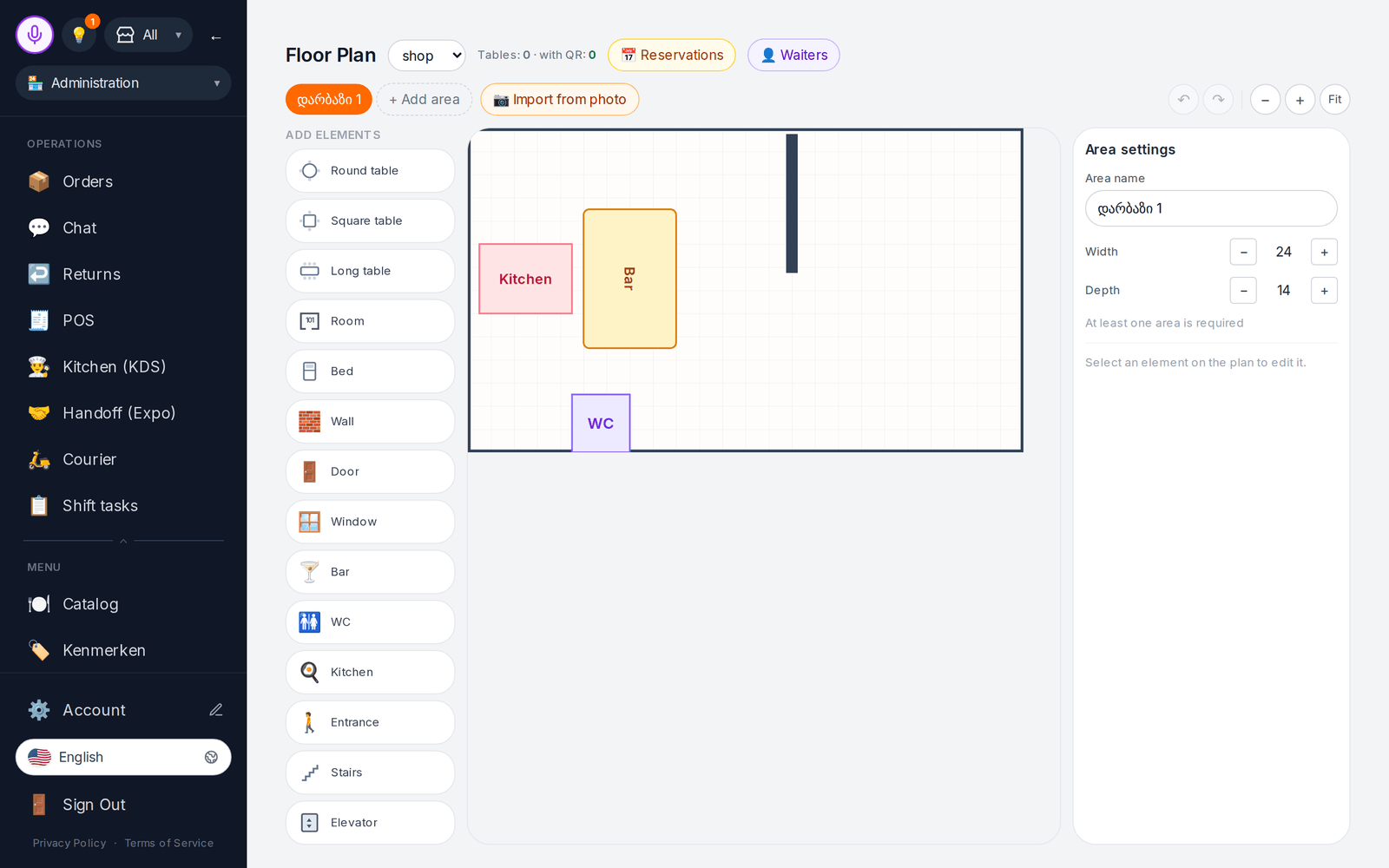
POS and kitchen handle the order
The order appears at the POS and kitchen display, and the customer sees its status. POS, floor plans and KDS depend on your plan.
- ✓Kitchen stations and expo screen
- ✓Staff permissions and PIN approval
The owner sees the result
Sales, stock, shifts, calls and reviews — on the dashboard and in “Needs attention”. Finance reports depend on plan and cloud.
- ✓Order and receipt history
- ✓“Needs attention” queue
Works with the tools you already use
Availability depends on country, cloud and provider terms. Delivery aggregators are not connected directly.
Runs in a browser, works with hardware
The catalog and admin open in a browser. Printing, fiscal receipts, scales and terminals need compatible devices and a bridge on the POS computer.
- ✓The bridge prints to supported network printers; USB/COM/Bluetooth printers are not supported yet
- ✓Terminal payments require testing the specific model; ready-to-use operation is not promised
- ✓Hardware, connectivity and fiscal services cost extra

Your data stays under your control
Two clouds
Global accounts run on AWS, Russian ones on Yandex Cloud, with regional copies per brand.
Role-based access
Roles and positions, access by location, PIN approval of risky POS operations.
Data export
Account data export is in settings; consents and cookies follow country rules.
Switching from another system
Import menus, stock and store data from spreadsheets, photos and other systems.
Start with one workflow
Launch time depends on your catalog, team and connections — test the workflow on a small example.
Create an account
Choose your business type — the system picks sections and starting settings.
Add your data
Add items manually or import menus and stock from photos, PDFs and spreadsheets.
Test your team workflow
Send a test order or appointment, process it, then turn on the next sections.
Apps for your team
Android builds cover part of the web functionality. Before using them during a shift, test login, required actions, hardware and your account cloud.
Courier
Addresses and statuses for your deliveries; feature availability depends on cloud
Download APK to testThe public APK build may lag behind tests of a newer version. Do not rely on push delivery; arrange monitoring of new orders.
iPhone and iPad versions are released through the App Store: Cenaly Phone is in Apple review, the others are in development. Until then the web admin works on iPhone and iPad.
ყველა აპლიკაცია App features and limitationsStart free, expand as needed
Check limits and available features. AI, extensions and hardware cost extra.
Before you start
What is included in the free start?
An account with one location, up to 50 items, one device and 100 monthly orders. AI and paid extensions cost extra.
Can I start with just one module?
Yes. For example, only a QR menu, POS, telephony or one website widget. Other sections can be turned on later — the data is already shared.
Do I need to buy hardware?
The catalog and admin open in a browser. Printing, fiscal receipts, scales and terminals need compatible devices and a bridge on the POS computer.
Are all features available in every country?
No. Finance reports work on both cenaly.com and cenaly.ru. Customer cohort analytics, image studio, interactive translation and self-service paid plan checkout are unavailable on .ru. Fiscalization and external connections depend on country and provider.
Can I export my data?
Yes, account data export is available in settings; check the file contents before migration. Automatic migration to every other system is not promised.
What does the “beta” mark mean?
The feature already works in the product, but its coverage or live-hardware testing is not complete. Test it on your data before relying on it in a live shift.
ბლოგიდან
ლაიფჰაკები, სიახლეები და პრაქტიკული მიმოხილვები რესტორნების, მაღაზიების, სასტუმროებისა და სალონებისთვის
GloriaFood მუშაობას 2027 წლის 30 აპრილს ასრულებს: რა უნდა გააკეთოს რესტორანმა
GloriaFood-ის საკუთარი საიტის მიხედვით, სერვისი მუშაობას 2027 წლის 30 აპრილს ასრულებს. რას ამბობს პირველწყარო, რომელი მონაცემები გადმოწეროთ წინასწარ და მშვიდი გადასვლის გეგმა.
ფუდკოსტი კონტროლის ქვეშ: როგორ ვითვალოთ და შევამციროთ ხარისხის დათმობის გარეშე
როგორ გამოვთვალოთ თეორიული და ფაქტობრივი ფუდკოსტი, ვიპოვოთ დანაკარგების წერტილები სამზარეულოში და შევამციროთ კერძების თვითღირებულება ხარისხის შეუცვლელად.
სამზარეულოს სადგურების ორგანიზება: mise en place, რომელიც საათებს ზოგავს
როგორ მოვაწყოთ სამზარეულოს სადგურები mise en place-ის პრინციპით: ზონირება, ორეტაპიანი ნამზადები, მარკირება, პრეპ-ლისტები და წესრიგი, რომელიც თავად ძლებს.

Bring your business into one workspace
Start free with your main workflow — add inventory, calls, staff and website when you are ready.
Free start without a card. AI, paid plans, extensions and hardware have separate terms.