For purchasing and operations managers
Inventory: receiving, write-offs and stocktakes
Before reordering, check where the previous stock went: receipts, sales and physical counts reconcile for the same item and unit.
Basic inventory operations are included; AI recognition, shelf-life control and devices are separate.
Basic inventory operations are included. Check optional operations and services separately.
Basic inventory documents and the Losses and Forecast tabs work in both environments. cenaly.ru has no invoice photo recognition; start with manual receiving.
- Receipts with quantity and cost
- Movements by item and warehouse
- Physical count separate from calculated stock
- one record
- Item
- reason for change
- Document
- in or out
- Movement
- verify reality
- Count
Where stock came from and where it went
Receive
- Receipt document
- Quantity and purchase cost
- Receive against a purchase order
What you need to start
Consistent units
Describe units and packs; arbitrary conversion is not automatic.
Opening count
Reconcile starting quantities first.
Sales mapping
Check the item’s stock mapping; food recipes are a separate use case.
Roles and procedure
Decide who posts receipts, write-offs and stocktakes.
Your first workflow
- 1
Set up an item
Enable Inventory, check your plan and rights, then set the location, warehouse, unit and opening quantity.
- 2
Post documents
Enter quantity and purchase cost, then verify the same item’s deduction.
- 3
Count the shelf
Record the actual quantity in a stocktake and investigate differences before expanding.
Try your own example
Product steps, not testimonials or promised results.
Stock on a phone
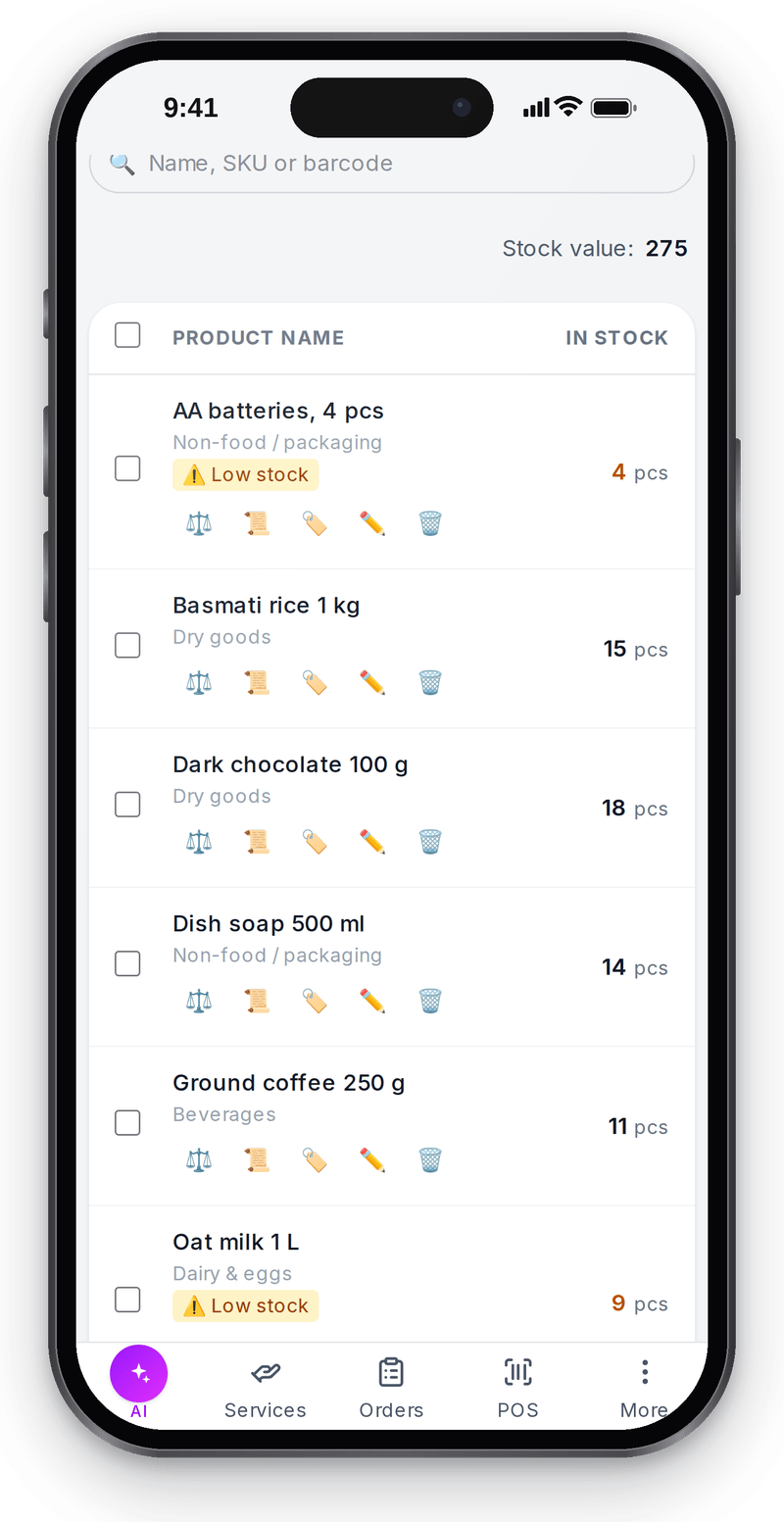
Real screen, test data, 3 October 2026

Stock levels
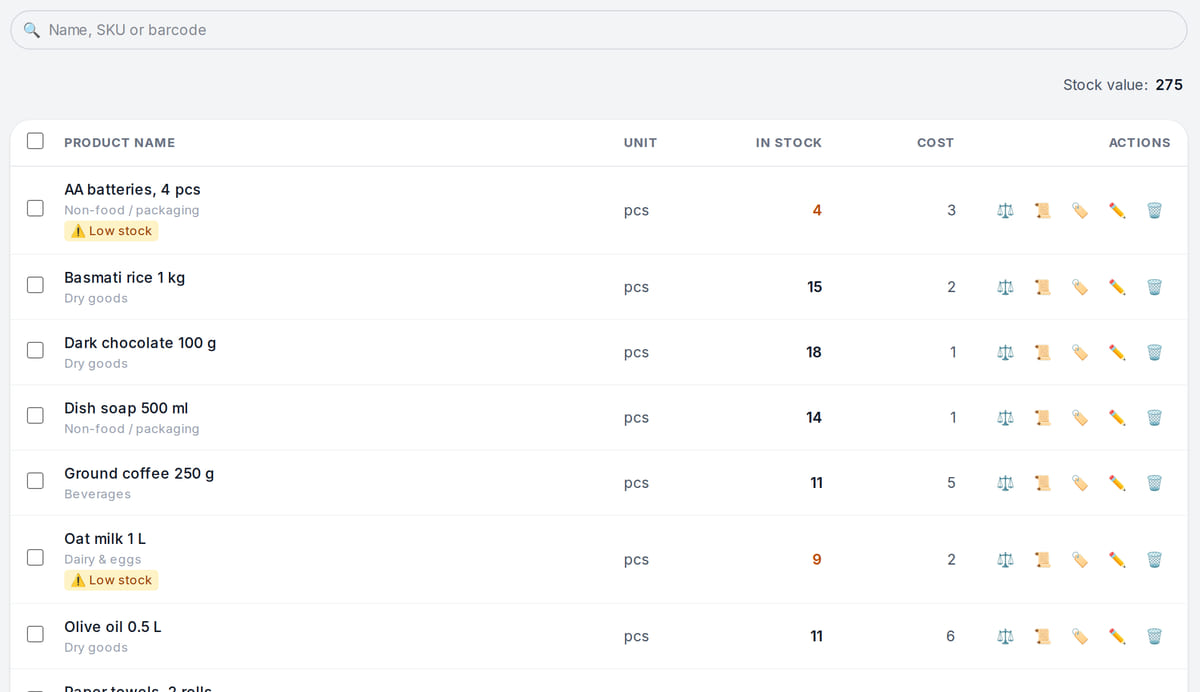
Real screen, test data, 3 October 2026. Stock below the reorder point is highlighted Stock documents
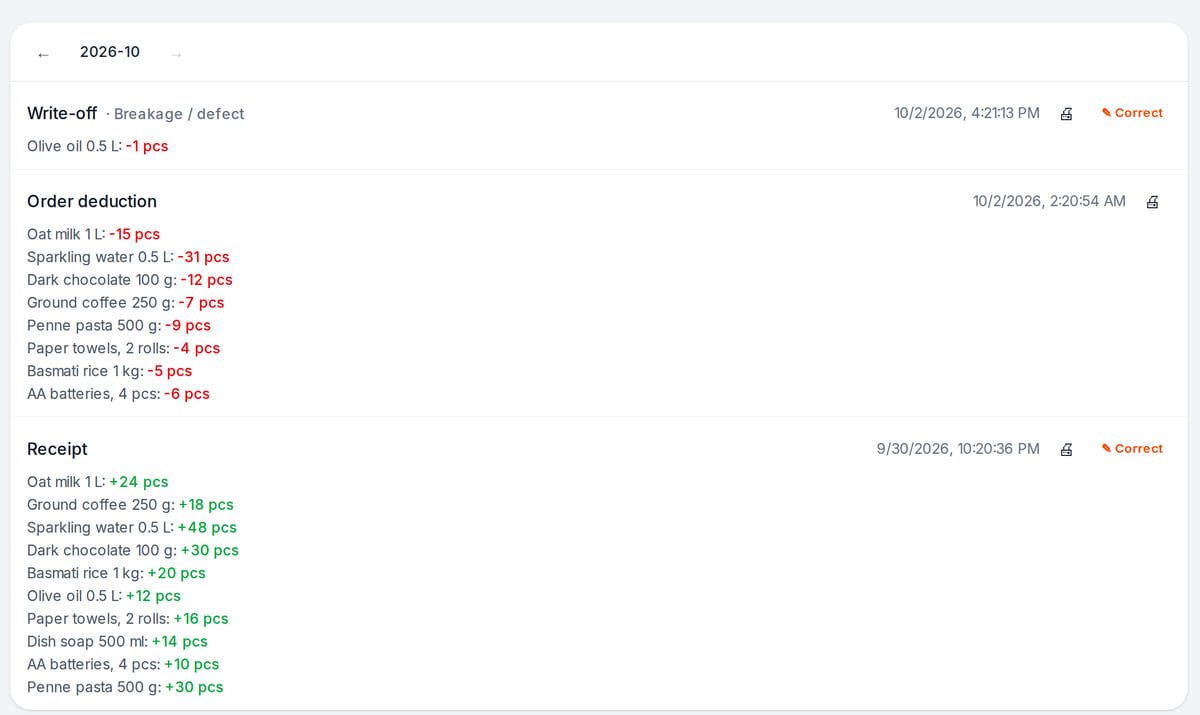
Real screen, test data, 3 October 2026. Sales write stock off automatically


A calculation you can repeat on one item
Real local movement-engine tests, not a live sale, scanner run or physical count.
- 1
Receipt: 4 + 6 = 10 pcs
A real processor test adds six units to a positive balance of four.
Receiving → - 2
Deduction: 10 − 3 = 7 pcs
The next test deducts three from ten. Verify the same item, warehouse and unit.
Stock movements → - 3
Count the shelf in the same unit
A stocktake records reality; missing documents or damage need investigation.
Stocktaking →
How it works in practice

Illustration; the screen shows the real interface, test data, 3 October 2026. Checking stock right at the shelf

Where it helps the owner
A partial delivery
Example: record the actual received quantity and compare it with the order.
Damaged goods
Example: record a separate write-off with its reason.
Negative stock
Example: investigate missing receipts or incorrect deductions before reordering.
Example situations. Measure time and costs with your own operations.
Basic inventory and additional costs
Basic inventory and additional costs
Basic documents and stock balances are included. The separate purchase-from-an-individual operation requires Premium/Enterprise; it is not needed for the ordinary receipt shown here.
Budget for setup
- Basic documents and balances do not require a separate inventory purchase
- Available AI processing uses a separate balance
- Shelf-life control is a separate option
- Check and buy hardware separately
Before a full migration
Prepare one item, its unit, initial count and receipt document.
Prepare your first warehouseBasic inventory operations are included. Check optional operations and services separately.
What to consider before you start
- Negative balances are allowed; a receipt from negative stock compensates that negative balance separately.
- Quantity-level batch FEFO is not available.
- Phone-camera stocktake scanning is not offered.
- Invoice recognition is unavailable on .ru and limited on Turkish brands.
Test your workflow and required connections before migrating data.
Frequently asked questions
Should I migrate everything at once?
Test one item, unit, receipt, deduction and count first.
Does the system determine why stock is missing?
It shows recorded movements and counts. People must investigate missing documents, damage or errors.
Can I use a phone camera for stocktake scanning?
That workflow is not supported. Check hardware separately.
Details for every screen are in the help centre. Where to start →
Take one receipt and one item from the shelf
Make the item, document, movement and physical count agree before expanding.
Basic inventory operations are included. Check optional operations and services separately.