Bring guests back and hear them out
Know your guests and keep them coming back
The guest base builds itself from orders — no forms, no sign-up. You see who came back how often and for how much, who has earned a stamp reward, who left a low rating and who is waiting for a callback.
No card required. Paid plans are chosen in the admin — signing up does not start one.
- Guest profile: order history, spend, notes and allergies
- Stamps and points redeemed at the POS
- Your own post-order reviews and a feed of reviews from other sites
Who it is for
The module is the same — wording and defaults follow your business type.
Café and coffee shop
A “sixth coffee free” stamp card and recognizing your regulars.
Restaurant
Guest history, allergies on the profile and follow-up on low ratings.
Salon and barbershop
The salon’s client base, reviews after a visit and no-shows on bookings.
Retail shop
Points on purchases, a debt ledger and customer groups for B2B.
What the module does
Customer base
- Guest profile
Order count, lifetime spend, tags, allergies, notes and an event timeline in one place.
- Spotting regulars
The order shows how many times the guest has ordered before, with their history one click away.
- Segments
Ready-made VIP, regulars, newcomers and lapsed guests plus your own thresholds; CSV export and an email to the segment.
- Customer groups
Storefront sign-up approval, request fields and groups — for B2B and gated catalogs.
Loyalty
- Stamp card beta
A stamp per paid order; the reward is a free item or a percentage discount.
- Points beta
A share of the bill back as points with a redemption cap; balance and redemption in the POS panel.
- Regular-guest discount beta
The POS suggests a discount for guests with a set number of orders.
- “Order again”
Guests see their past orders on the storefront and repeat any of them in one tap.
Reviews and reputation
- Post-order review
Stars and text on the storefront or by link; the guest’s text stays with you and is never published.
- Handling low ratings
New, seen and resolved statuses, an internal note and an item in the “Needs attention” queue.
- Your review profiles
Guests get a link to your profile on Google, Yandex and other sites from the catalog.
- External reviews in one feed
Reviews collected from review sites, a “no reply yet” filter and AI reply drafts — sent only when you click.
Requests, calls and debts
- One stream of requests
Forms, popups, callbacks, online appointments and table bookings in one list with CSV export.
- Callback
A phone button on your website: the guest leaves a number, you get the request, and with your own PBX the call is placed automatically.
- Debt ledger
“Pay later” at the POS with a per-location limit, partial repayments and a list of debtors.
- No-shows beta
A “no-show” status on appointments and bookings, with the deposit kept under your policy.
Step-by-step guides — Help article →
What it looks like in the product
Clients by visits
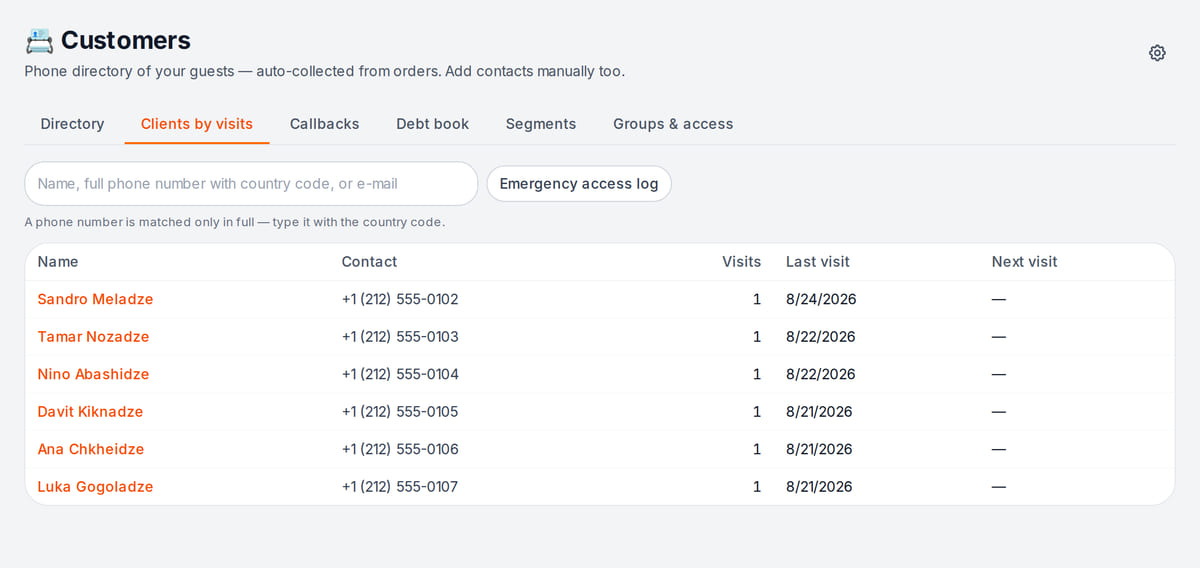
Real screen, demo data, 3 October 2026. The list builds itself from bookings, no sign-up forms Client card
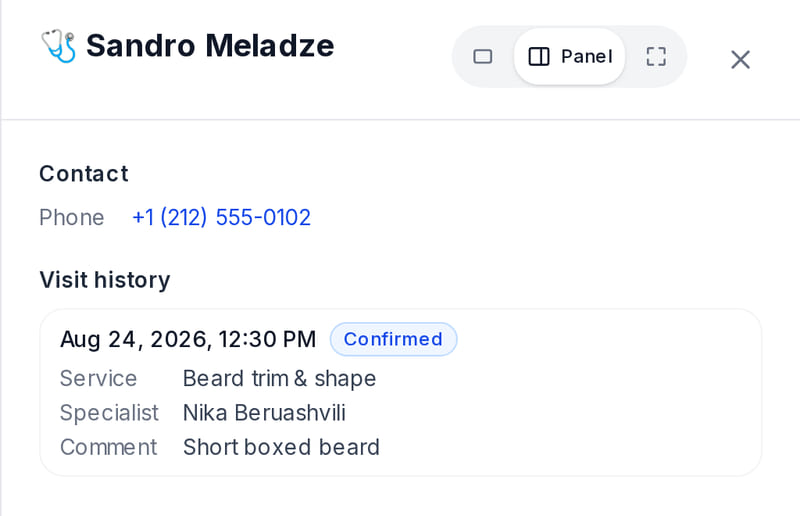
Real screen, demo data, 3 October 2026. What the client had and with whom, in one card


How it works in practice
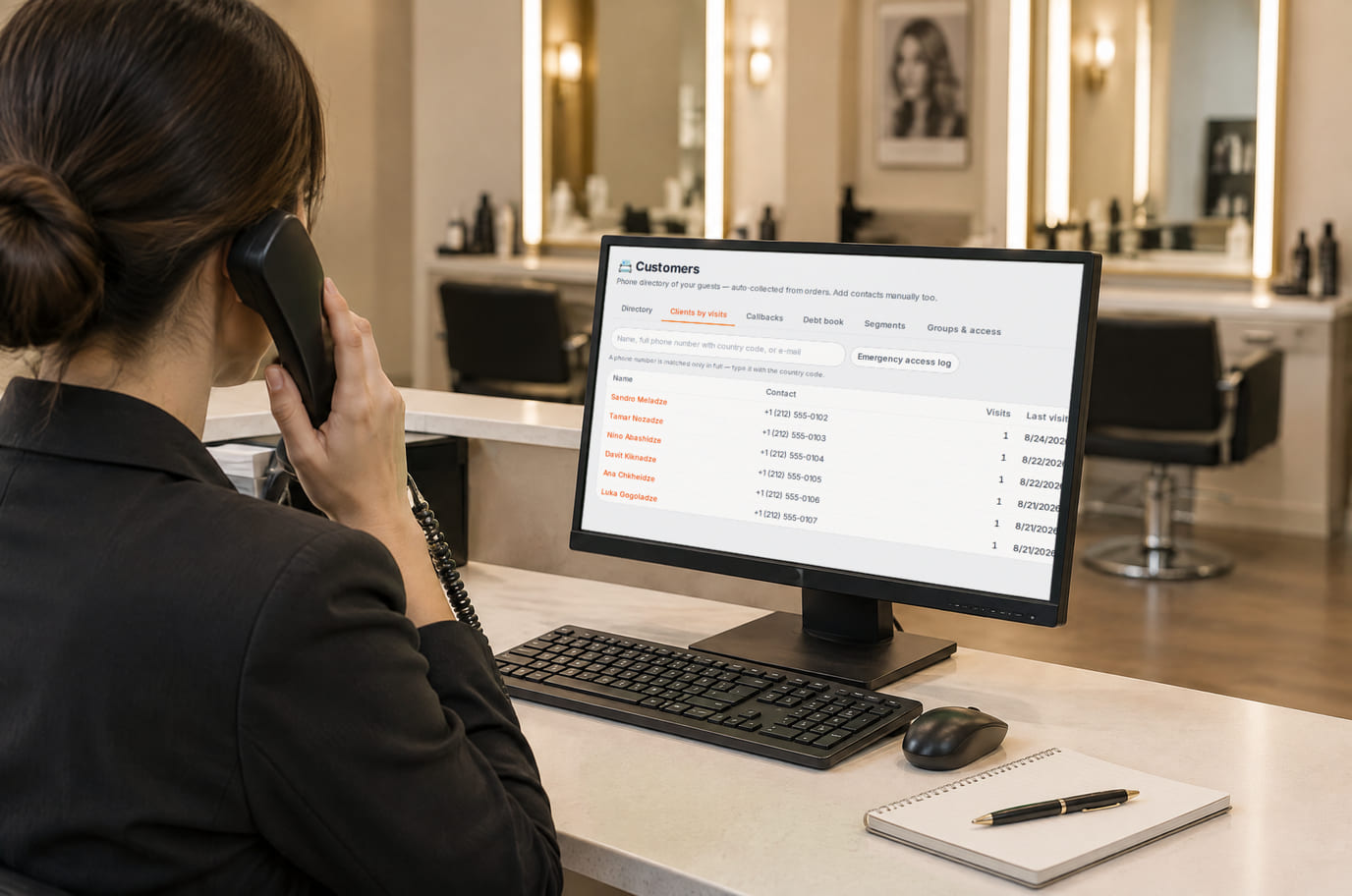
Illustration; the screen shows the real interface, demo data, 3 October 2026. A client calls and reception sees their visits right away

Built as one system
Modules share one menu, one order flow and one shift — no exports between programs.
Marketing and newsletters
Coupons and automatic discounts, happy hours, gift cards, email newsletters, popups and a prize wheel, a printed menu and flyers.
POS
A web POS on a tablet or computer: table, bar and counter modes, shifts with X/Z reports, refunds and PIN control.
QR menu and guest ordering
A menu in 45 languages behind a table QR code: guests order themselves and the order arrives with the table number.
Business phone
Lines, extensions and call rules with an explicit no-answer outcome.
Pricing
Available from the plan
Free
₾0
Priced per account; the plan sets location, device and order limits.
Good to know
- The customer base, your own reviews, loyalty and the request inbox are on every plan, including Free
- Points redemption and “pay later” go through the POS, available from the Basic plan
- Monitoring external review sites is on the higher plan with marketing tools
Start for free
A free account with one location: build your menu and test the workflow before choosing a plan.
Start for freeHonest limits
- Points do not expire, and there are no tiers (bronze, silver, gold) or welcome points.
- Guests are recognized by phone or sign-in: without them points have nothing to attach to, and one person on several devices may count as several guests.
- Guests from delivery-platform orders do not enter the base: the platform does not pass their details.
- Replying straight from the admin works only where the review site allows it; elsewhere you get “copy the text and open the site”.
- There is no no-show blacklist; auto-cancelling no-show bookings is off by default.
- There is no “refer a friend” program for guests — only partner (affiliate) links.
Test your workflow on a free account before buying hardware.
FAQ
Do guests need to sign up to be in the base?
No. The base is built from orders: device, phone, account sign-in and email are merged into one profile. Phone or sign-in is the most reliable key.
How does the loyalty program work?
Turn on stamps, points or both. Each paid order earns exactly once, and the cashier applies rewards and point redemptions at the POS. The program is currently in beta.
Will bad reviews end up online?
Only you see the text a guest writes in our form — there is no public review board. The review-site buttons simply lead the guest to your profile; whether to post there is their choice.
Can I reply to Google and Yandex reviews from the admin?
External reviews are collected in one feed and AI drafts a reply. You can send it from here where the site allows it; for Yandex, 2GIS and Facebook there is a “copy the text and open the site” button.
Can I keep track of customer debts?
Yes. The POS has a “pay later” option: the remaining bill goes to the debt ledger under the guest’s phone number. You set a debt limit per location and take repayments at the POS in cash or by card, including in parts.
What if my customers are companies, not guests?
Companies have a separate section, “Companies and invoices”, with contracts, documents and balances, and corporate accounts with a daily allowance let an organization’s employees pay.
How much does it cost?
The customer base, your own reviews, loyalty and requests are on every plan. The POS for points and debts starts at Basic, external review monitoring is on the higher plan. Prices are below and on the pricing page.
Step-by-step guides — Help article →
Build your guest base from the first order
Create an account, turn on stamps or points in your location’s site settings and place a test order — the guest appears in the base right away.
Talk to us →No card required. Paid plans are chosen in the admin — signing up does not start one.