Beta · AI in the dashboard and for guests
Ask your dashboard in plain words — it answers from your data and makes the change
The AI assistant opens on top of any section: it tells you where a setting lives, reads out the shift summary and changes prices or the stop list once you say yes. Alongside it: AI in product cards, a knowledge base built from your documents and a concierge for guests.
No card required. Paid plans are chosen in the admin — signing up does not start one.
The AI assistant is in beta: some sections cannot be managed by voice yet.
- Voice or text — speak in any language
- Bulk edits only after a “before → after” table
- The knowledge base answers from your documents with source links
Who it is for
The module is the same — wording and defaults follow your business type.
Restaurant
Stop list, prices and shift totals by voice, AI dish photos and descriptions, a menu concierge for guests.
Retail shop
Price-list import from a photo or file, bulk price edits and product picks for shoppers by attributes.
Salon and barbershop
Answers from your own procedures in the knowledge base, staff training and a translator for foreign clients.
Hotel and guest house
A knowledge base for the front desk, an AI translator for guests and ready-made bases on running a hotel.
Where AI does the work
Assistant in the dashboard
- Ask by voice or text beta
Opens over the section and knows where you are: “where do I turn on tips”, “shift summary”, “who works tomorrow”.
- Bulk edits with a preview beta
“Raise prices in this category by 8%” — a before → after table, applied with one confirmation.
- Catalog reviews beta
What is missing, which translations are absent, duplicates and misplaced items — with a plan you approve.
- Sparkle on complex settings
A button by the block title opens the assistant in that context: what the setting does and what a mistake costs.
AI in the catalog and cards
- Import from a photo, file or link
An Excel, Word or PDF price list, a menu photo or a website address — AI drafts an item plan, you edit and apply it.
- AI card check
Suggests a description, tags, nutrition and “goes well with” — each suggestion is applied with its own button.
- AI photos
A shot generated from the name when there is no photo, plus light and colour enhancement; the previous version is one click away.
- Auto-translation into 45 languages
Names and descriptions are translated automatically; manual edits take priority.
Your business knowledge
- Your own knowledge base
PDF, DOCX, spreadsheets, document photos and a whole website — the system builds articles and checks them against sources.
- Answers with sources
Answers come only from your documents, with [1], [2] links; if the answer is not there, it says so.
- Ready-made knowledge bases
Bases for frontline staff and managers install from the catalog and work like your own.
- Training from the base
Key concepts, topic summaries and quizzes linked to source documents, built with one button.
Guests, agents and models
- AI concierge for guests
A guest types “something light, no onion” and gets 2–3 items from your catalog — never invented dishes.
- AI translator at the counter beta
The guest speaks their language on their own phone; staff see the translation and hints from the knowledge base.
- API for AI agents
Guests’ AI assistants read the menu, build an order and request a booking over REST or MCP.
- Choose the model or bring your key beta
ChatGPT, Gemini, Grok or DeepSeek in one click, or your own OpenAI-compatible endpoint with your key.
Step-by-step guides — Help article →
What it looks like in the dashboard
A setup question
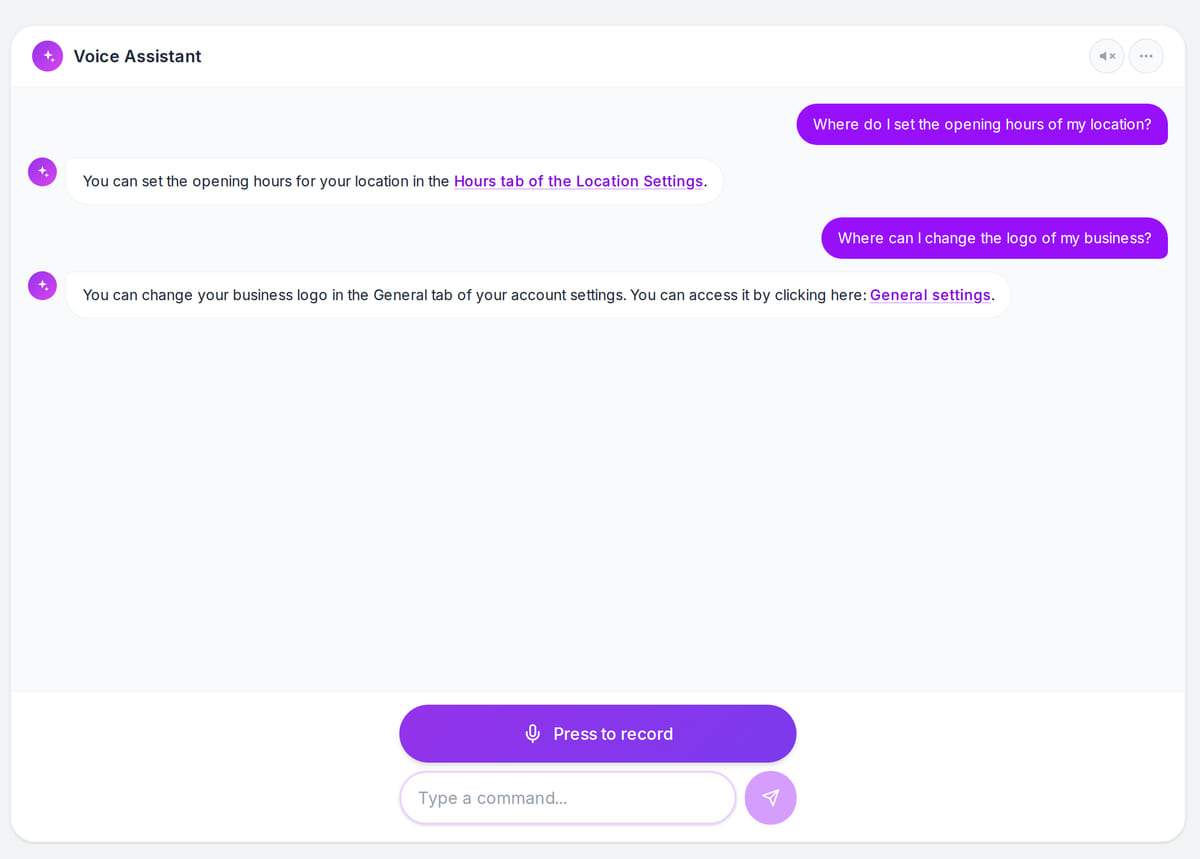
Real screen, test data, 3 October 2026. The assistant tells you where a setting lives and links to it Answer from your base
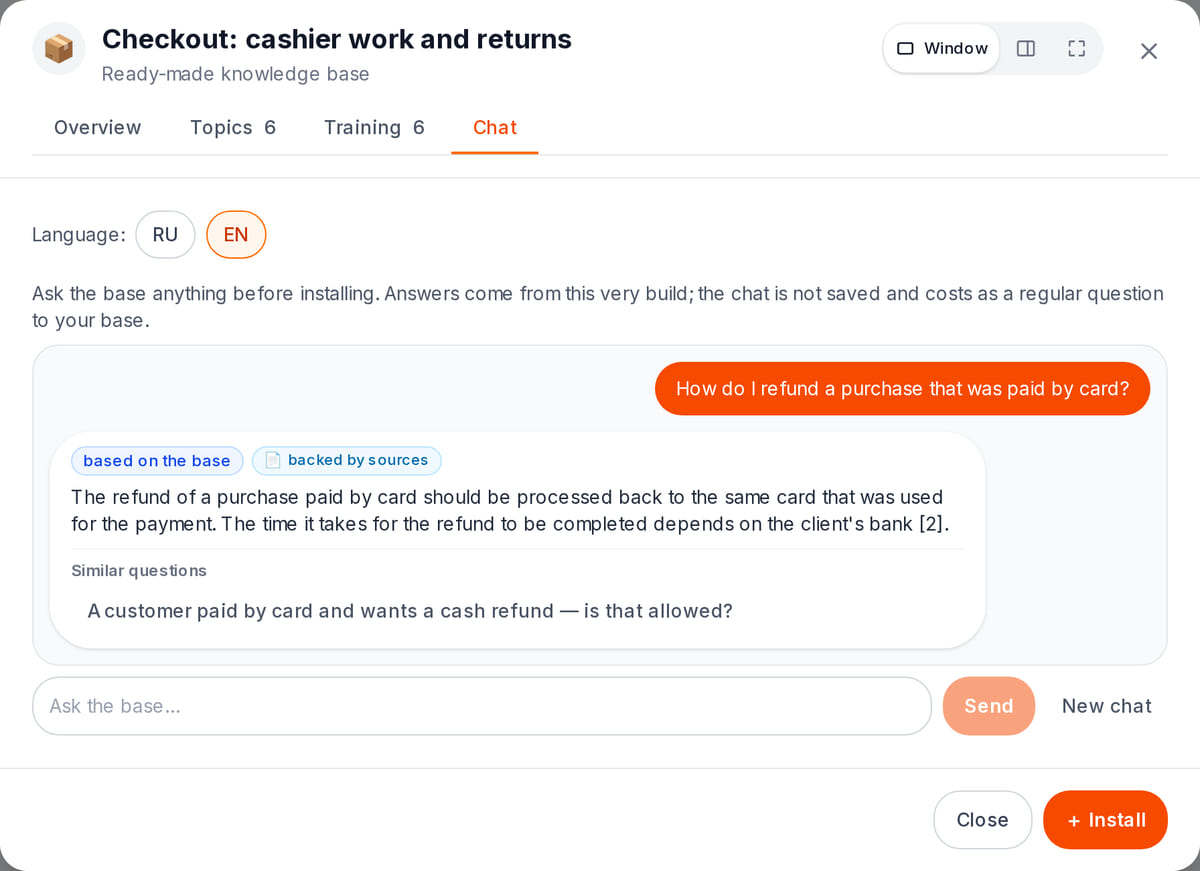
Real screen, test data, 3 October 2026. Questions about your documents, with sources


How it works in practice
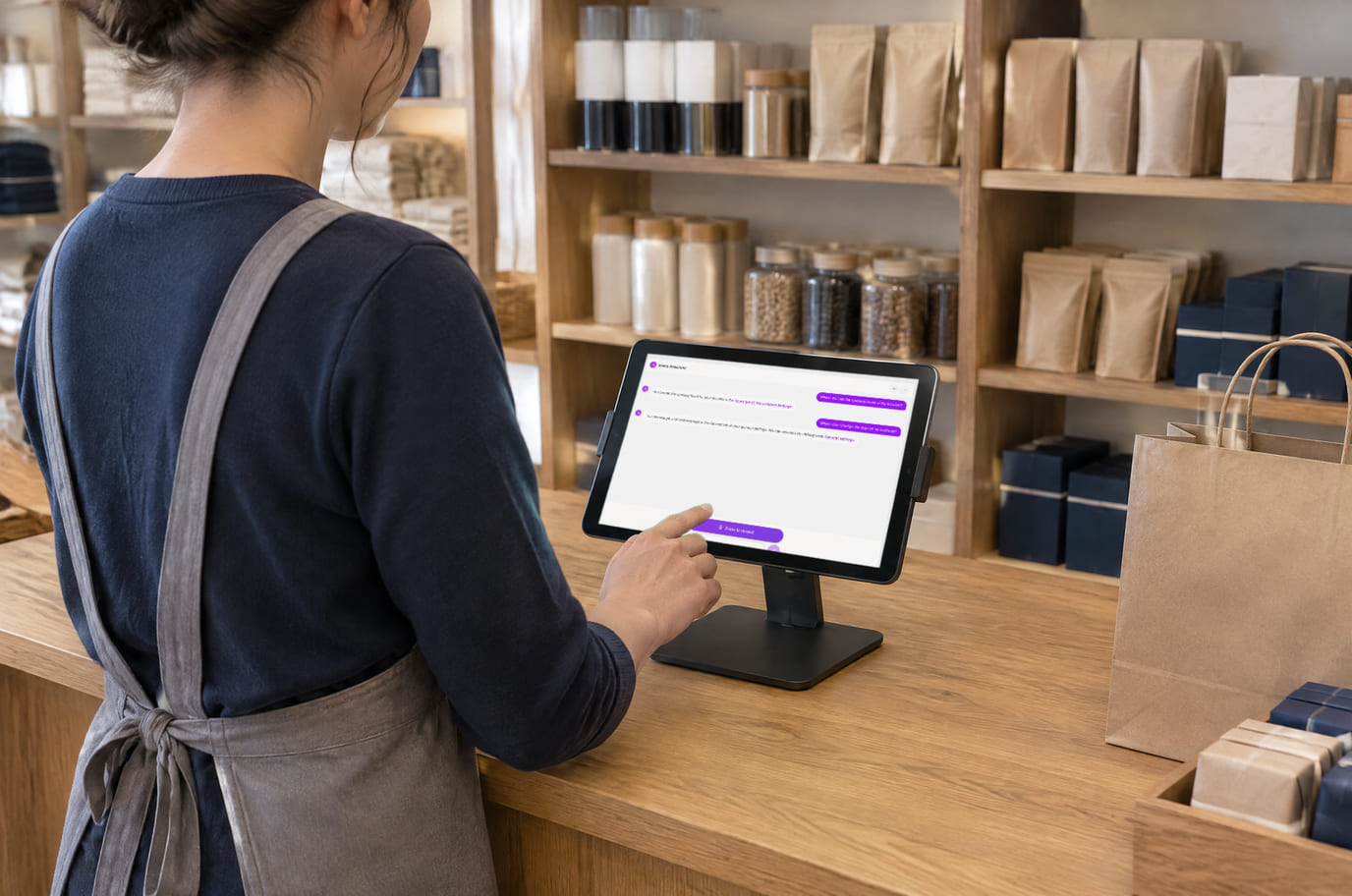
Illustration; the screen shows the real interface, test data, 3 October 2026. Ask the assistant right at the counter

Built as one system
Modules share one menu, one order flow and one shift — no exports between programs.
Digital worker: beta pilot
Test one repeated browser operation with demonstration-based training, write controls and a run report.
Team knowledge and training
Procedures, document-based answers and training with separate theory and practice checks.
QR menu and guest ordering
A menu in 45 languages behind a table QR code: guests order themselves and the order arrives with the table number.
Business phone
Lines, extensions and call rules with an explicit no-answer outcome.
Pricing
Available from the plan
Free
₾0
Priced per account; the plan sets location, device and order limits.
Good to know
- AI is billed separately from the plan — in account AI credits, per actual call
- The assistant, the knowledge base and the ready-made base catalog cost nothing to switch on
- Calls through your own model key do not use AI credits
Start for free
A free account with one location: build your menu and test the workflow before choosing a plan.
Start for freeHonest limits
- The AI assistant is in beta: loyalty, accounting and the customer base cannot be managed by voice yet — you handle those sections by hand.
- The assistant does not start a conversation on its own: items that need attention are collected on a separate screen in the team chat.
- Every data change needs confirmation; a bulk edit over 1,000 items will not run — narrow the criteria.
- The model choice does not apply to tool-using features: the dashboard assistant, the chat AI bot and the mail coach run on their own model.
- Generating a new AI photo does not work on every account yet; photo enhancement and version history are not affected.
- Spoken answers from the knowledge base are being prepared for the Android app and are not published yet; on the web you ask the base in text.
- The AI translator is a young feature: a phrasebook and questions in guests’ languages are still in progress.
Test your workflow on a free account before buying hardware.
FAQ
How much does the AI assistant cost?
There is no separate fee to switch on the assistant, the knowledge base or ready-made bases. AI calls — speech recognition, answers, generation, import — are paid from account AI credits as you use them; the balance and spend by feature are on the subscription page.
Can the assistant change data without me?
No. Before any edit it shows exactly what will change and waits for confirmation; deletions and bulk edits are confirmed on screen. If more than 50 items match, you also tick “I checked the list”.
What can the assistant do on behalf of staff?
Exactly what that person could do by hand: the assistant acts as the signed-in user, within their role and location. There is no separate “voice access”.
Are voice recordings stored?
No. After recognition only the text of the command remains. The request and answer go to the account’s AI log, and the conversation history lives in the browser and is cleared with a button in the assistant panel.
Will the knowledge base answer with things that are not in my documents?
No. Answers are built only from the uploaded documents, with source links. If the answer is not in the base, the AI says so; if sources disagree, it shows both values.
Which languages can I speak?
You can speak or type in any language: the assistant works out the meaning and replies in the dashboard interface language — there are 45 of them.
Can I choose the model or connect my own key?
Yes, in AI models: ChatGPT, Gemini, Grok or DeepSeek in one click, or your own OpenAI-compatible endpoint. Calls on your own key do not use AI credits. Some features — the dashboard assistant, the chat AI bot — run on their own model regardless of the choice.
Step-by-step guides — Help article →
Ask the assistant your first question
Create an account, open the AI assistant in any section and ask where a setting lives — or upload a price list and review the import plan.
Talk to us →No card required. Paid plans are chosen in the admin — signing up does not start one.